

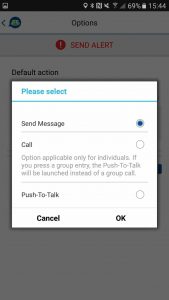
A new setting named “Default action on contact press” has been added to the Settings/Options menu. This allows you to choose what happens when you press a contact on the Contacts screen:
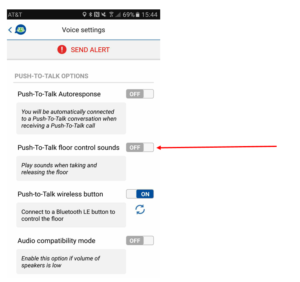
Enabling the “Push-To-Talk floor control sounds” option in Settings/Voice Settings/Push-To-Talk Options now plays audio cues not only when you press or release the PTT button, but also when other participants do the same.
With both “Push-To-Talk floor control sounds” and “Push-To-Talk Auto-response” enabled in Settings/Voice Settings/Push-To-Talk Options, a sound will now play to notify you when you automatically join a PTT session. This audio notification is only played for the added participant.
